Malware Analysis - Egg-xecutable 🥚
This is a walkthrough for the TryHackMe room Malware Analysis - Egg-xecutable 🥚. This room focuses on:

- The principles of malware analysis
- An introduction to sandboxes
- Static vs. dynamic analysis
- Tools of the trade: PeStudio, ProcMon, Regshot
The Story 🎅

The town of Wareville remains quiet in the middle of the night. While the residents of Wareville are nicely tucked up in bed, blissfully unaware, the SOC team at The Best Festival Company (TBFC) remain alert, poised and ready for whatever may face them. Monitoring their screens, armed with a freshly poured mug of hot cocoa, the elves of the SOC watch their dashboards diligently. Suddenly, the elves receive an email in unison from Elf McClause, Head of Elf Affairs, in their inboxes. It reads:
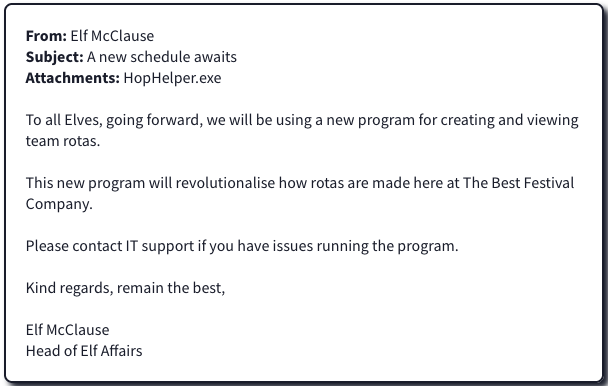
"Why is Elf McClause working at 3AM?" Screams a member of the SOC team in the background. They're right, something is amiss.
Elf McBlue is immediately suspicious. Their years of experience in the SOC have given them the wisdom not to download "out of the blue" executables. Without McSkidy's wisdom, Elf McBlue takes charge, loading up their malware investigation toolkik - the investigation begins.
We start the machine and connect to it via RDP.
Static analysis: What is the SHA256Sum of the HopHelper.exe?
First, we statis analyze the file hophelper.exe using PeStudio.
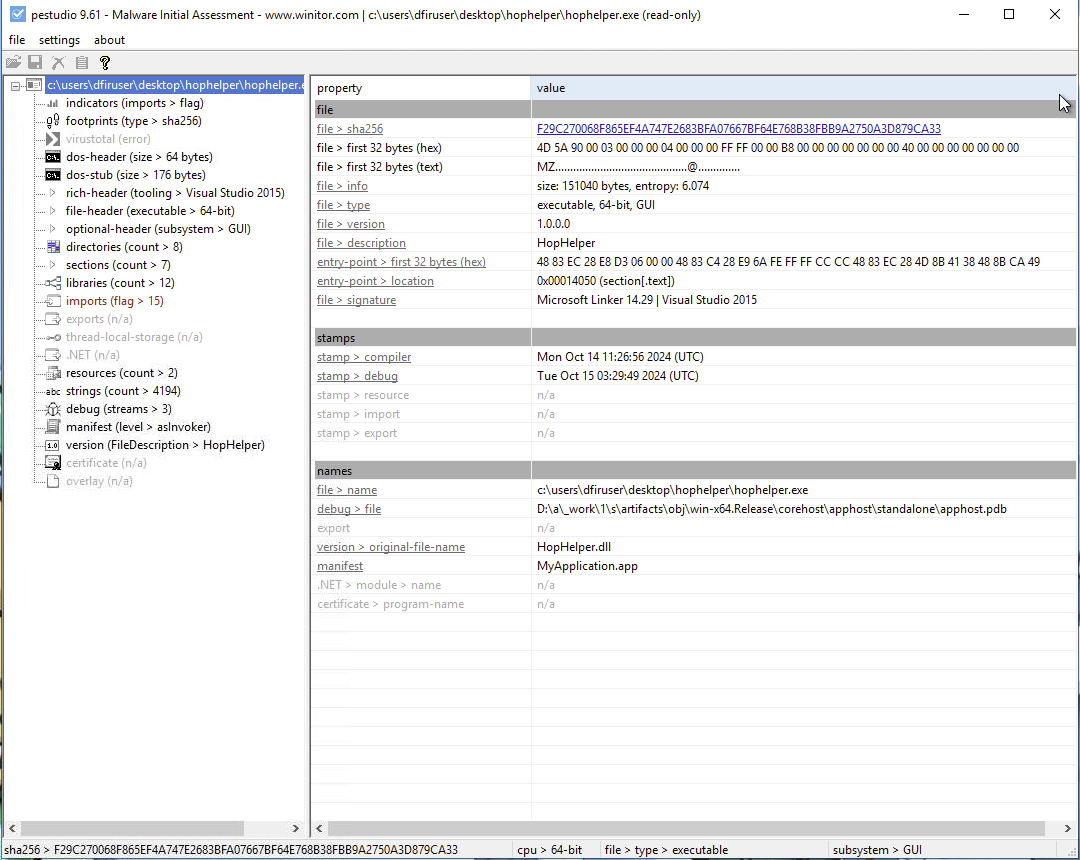
Answer: F29C270068F865EF4A747E2683BFA07667BF64E768B38FBB9A2750A3D879CA33
Static analysis: Within the strings of HopHelper.exe, a flag with the format THM{XXXXX} exists. What is that flag value?
Navigating to the Strings tab in PeStudio, we can search for THM{ to find the flag.
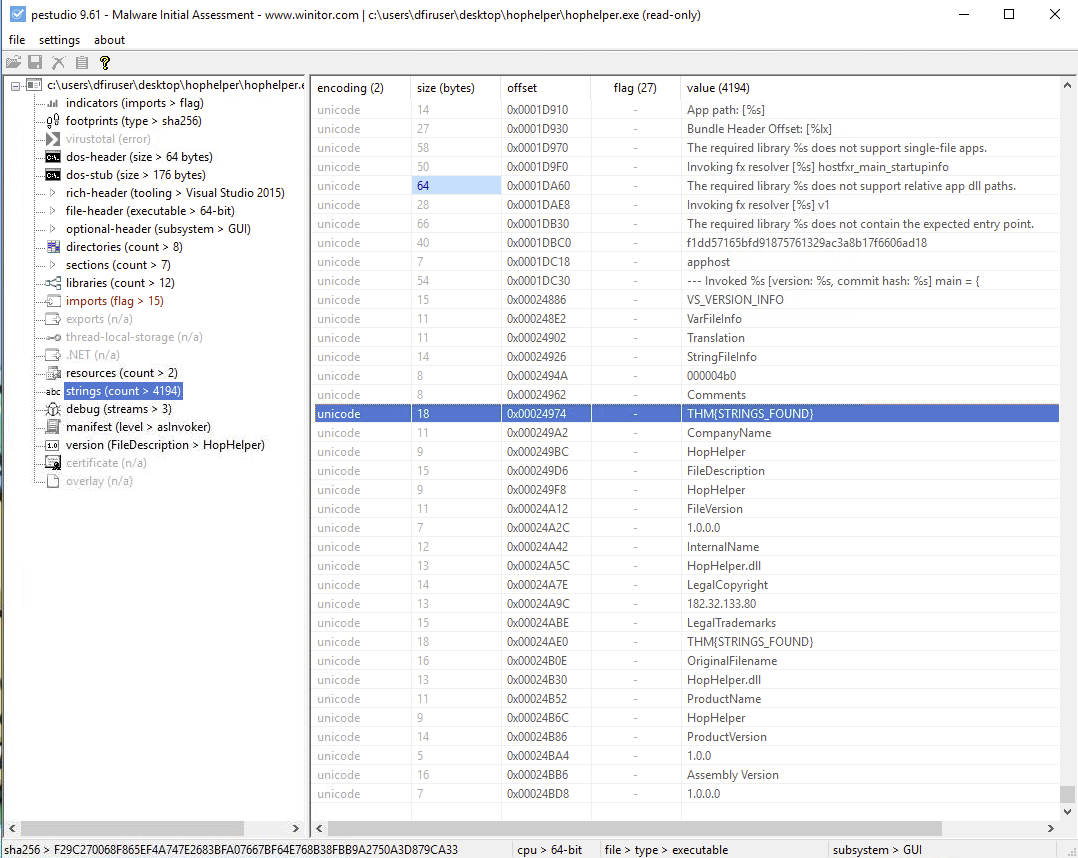
Answer: THM{STRINGS_FOUND}
Dynamic analysis: What registry value has the HopHelper.exe modified for persistence?
Let's use Regshot to take our first snapshot before running the executable.
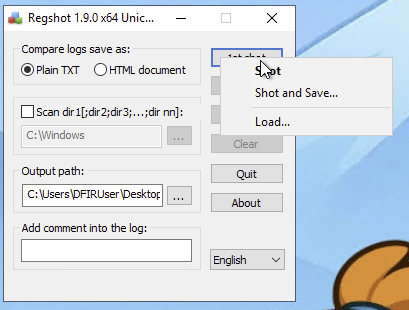
Next, that we have a snapshot of the registry, we run the HopHelper.exe file.
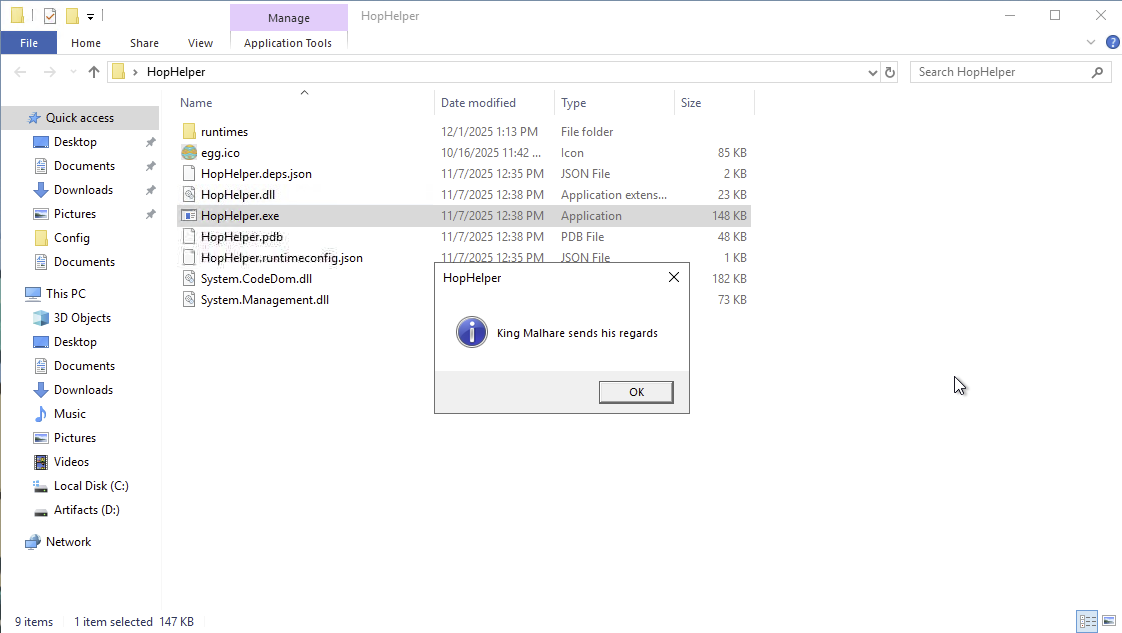
Some strange things are happening on the screen. Let's take our second snapshot in Regshot.
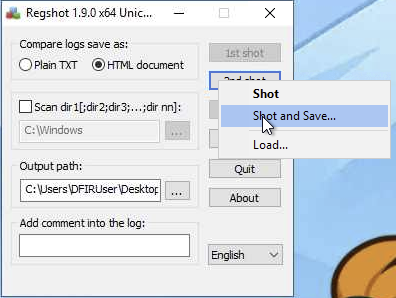
Let's compare the two snapshots to see what has changed in the registry.
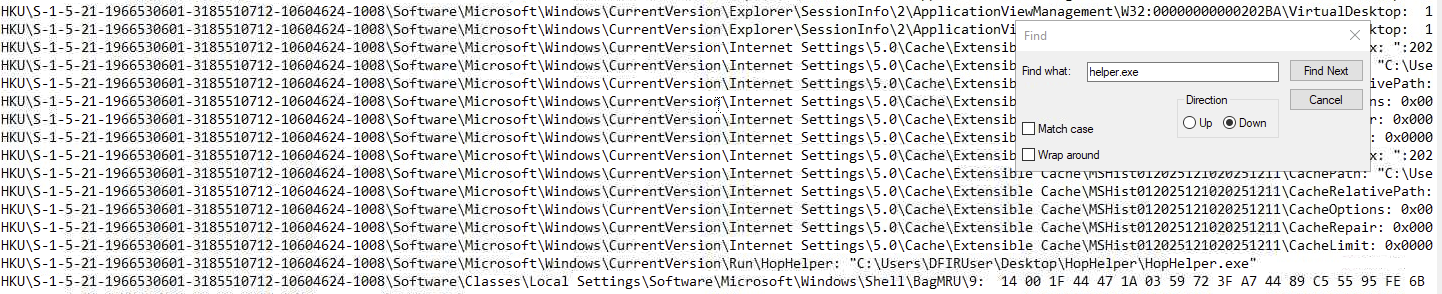
Answer: HKU\S-1-5-21-1966530601-3185510712-10604624-1008\Software\Microsoft\Windows\CurrentVersion\Run\HopHelper
Filter the output of ProcMon for "TCP" operations. What network protocol is HopHelper.exe using to communicate?
Using ProcMon, we can filter for TCP operations to see what network protocol HopHelper.exe is using.
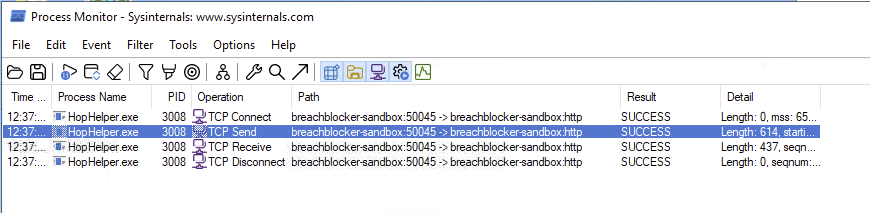
Answer: HTTP
Can you find the web panel that HopHelper.exe is communicating with?
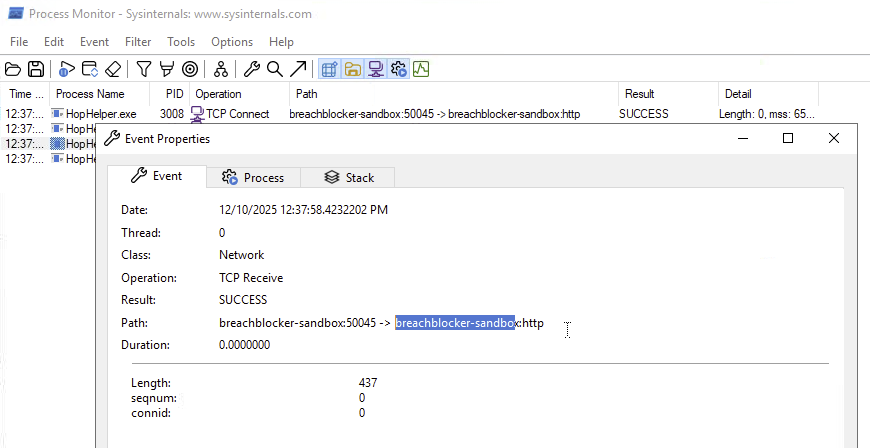
Answer: breachblocker-sandbox
Completion
This was a basic introduction to malware analysis using static and dynamic techniques. I have learned how to use tools like PeStudio, Regshot, and ProcMon to analyze a suspicious executable file.